Importing Destinations #
IMPORTANT NOTE:
In order to pull through images from destinations on Wetu, images must be added to the respective gallery on Wetu. This includes the regions within a destination. No images will be imported if your own sourced images are not loaded on to the respective Destinations on Wetu.
- Click on Destinations.
- To view all destination listings that were connected by your accommodation imports, click the Draft link.
- If you would like to synchronise specific destinations from Wetu, you can search for the specific destinations using the Search bar. Use Bulk Search to search for multiple destinations at once.
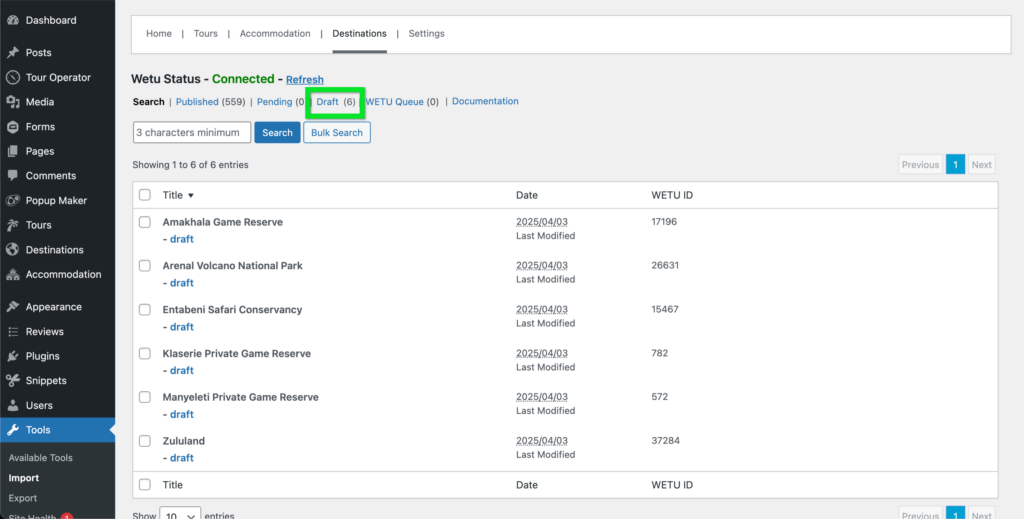
- Select the destinations you want to synchronise with your website using the checkboxes.
- Click Add to List to add the destinations listings to the synchronisation list.
- Configure what content from Wetu you want to be synchronised with your website.
- Click Sync to synchronise the destinations.

Watch our video below to get a better understanding:


